
Help In The JS Help Desk!
Help
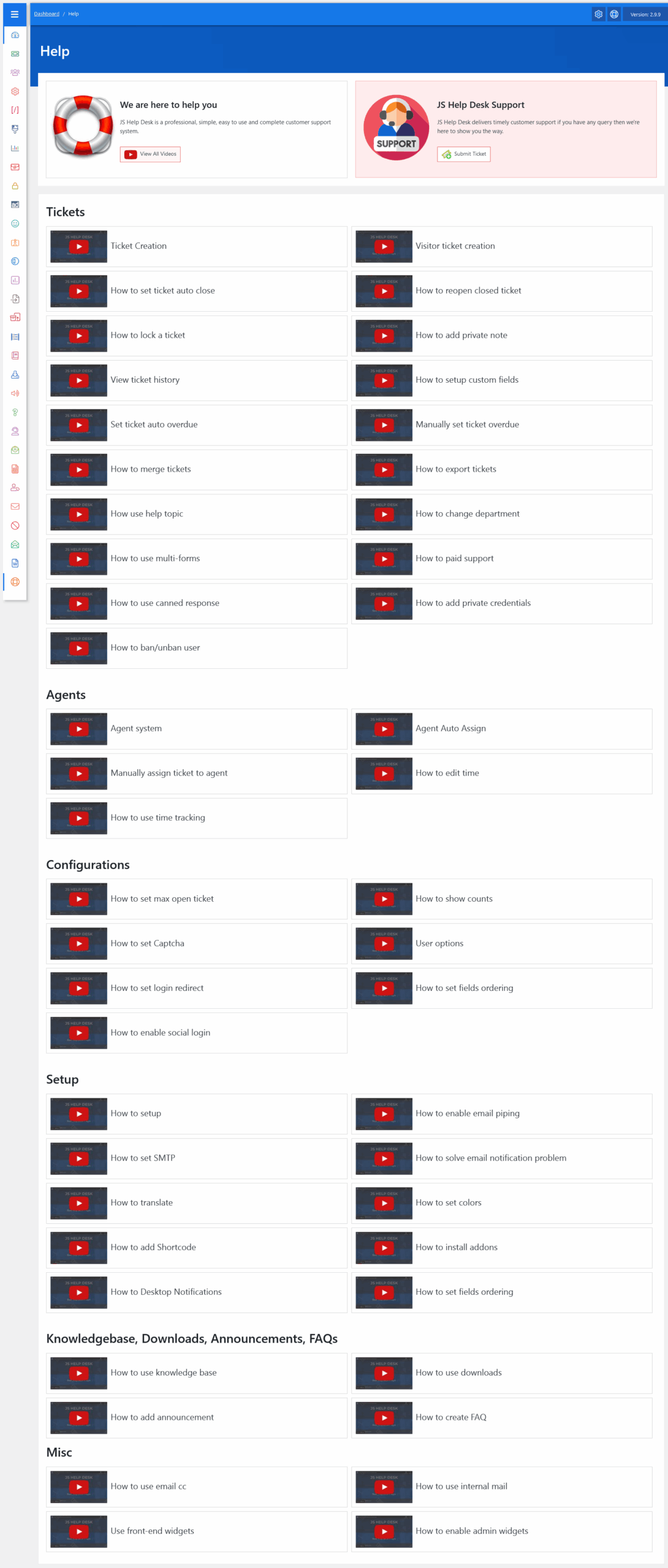
From your admin dashboard, navigate to the Admin Dashboard > Dashboard Menu > Help. On the help page, you will find all the details about JS Help Desk.
JS Help Desk is a powerful, user-friendly support management system designed to make customer service easier for both users and support agents. It helps organize, track, and resolve customer inquiries efficiently through a ticket-based system. Whether you run a small business or a large organization, JS Help Desk allows you to manage all support requests in one central location. From ticket creation to resolution, every step can be automated or handled manually, depending on your team’s workflow.
The heart of JS Help Desk is its ticketing system. A ticket represents a customer’s query or problem. Users can submit tickets directly from the front-end form, and agents can also create them on behalf of users.

At the core of JS Help Desk is the ticketing system. A ticket represents a customer’s question, issue, or request. Users can create a new ticket anytime by clicking Submit Ticket, while agents can respond, update, or close tickets once resolved. For example, if a customer can’t log in to their account, they can submit a ticket and track the progress until the issue is fixed. Every ticket keeps communication organized and ensures that nothing gets missed.
To make things even easier, we provide a full collection of video tutorials that guide you through every feature of JS Help Desk. By clicking View All Videos, users and agents can learn how to create tickets, assign agents, use canned responses, set automation rules, and much more. These short, visual lessons make it simple to get familiar with the system without needing any technical background.