
What can we help you with?
Push Notifications In The JS Help Desk
Push Notifications
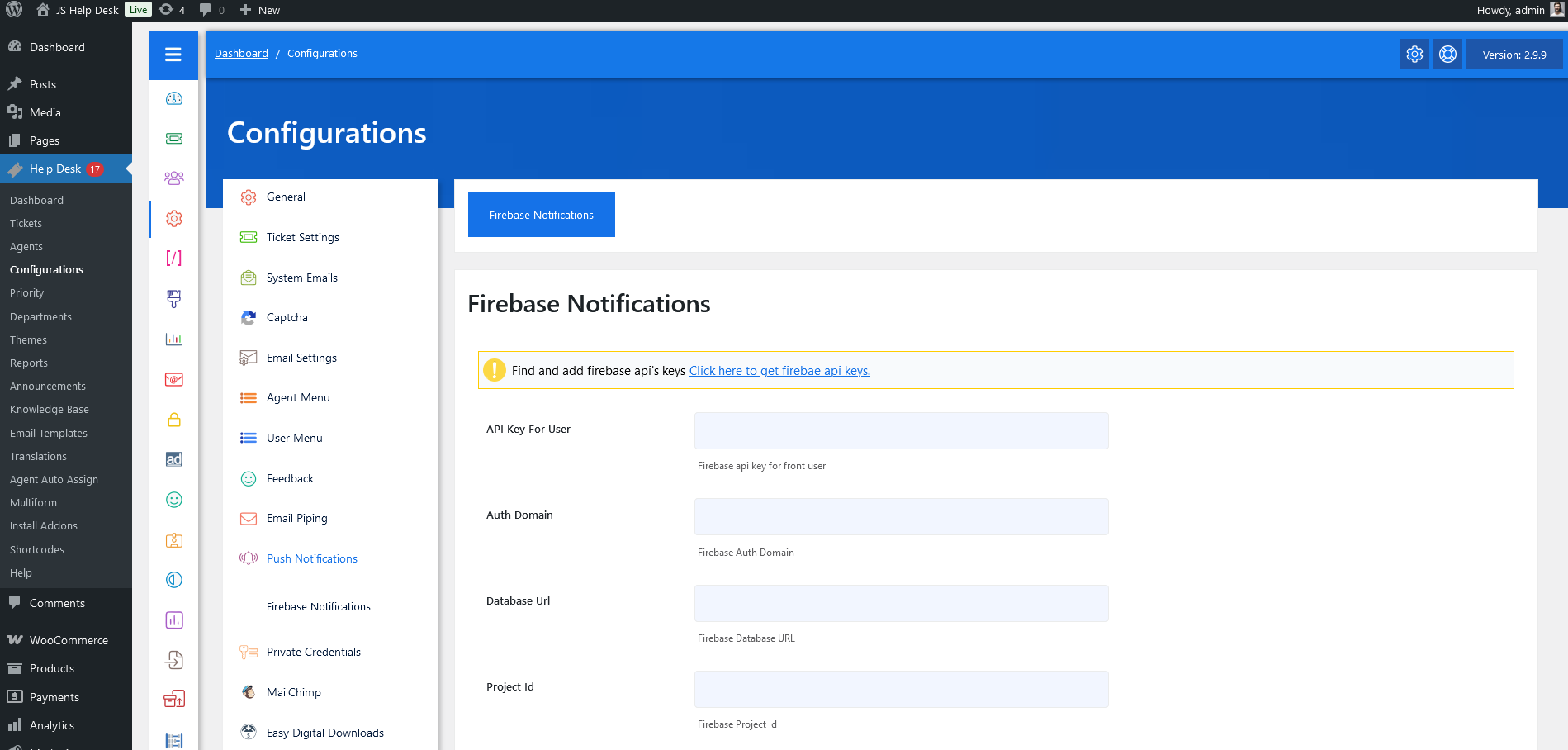
As an administrator, navigate to the Admin Dashboard > Dashboard Menu > Configurations > Push Notifications. On the configurations page, you will find various configurations that the admin can use to manage the JS Help Desk push notifications.
Firebase Notifications
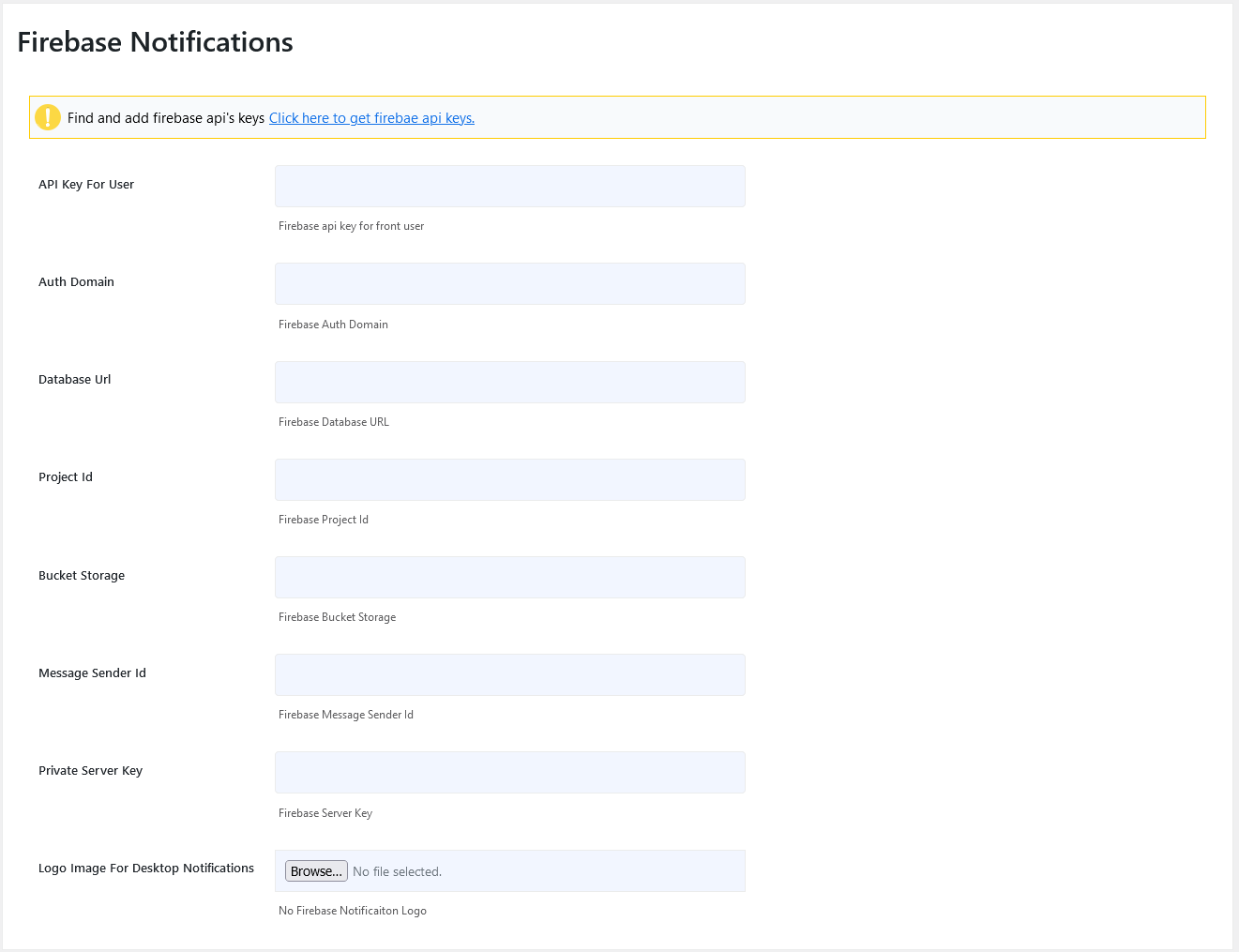
API Key For User
Firebase api key for front user.
Auth Domain
Firebase Auth Domain.
Database URL
Firebase Database URL.
Project ID
Firebase Project ID.
Bucket Storage
Firebase Bucket Storage.
Message Sender ID
Firebase Message Sender ID.
Private Server Key
Firebase Server Key.
Logo Image For Desktop Notifications.
Upload the logo image for Firebase Notifications.