
User Data In The JS Help Desk!
User Data
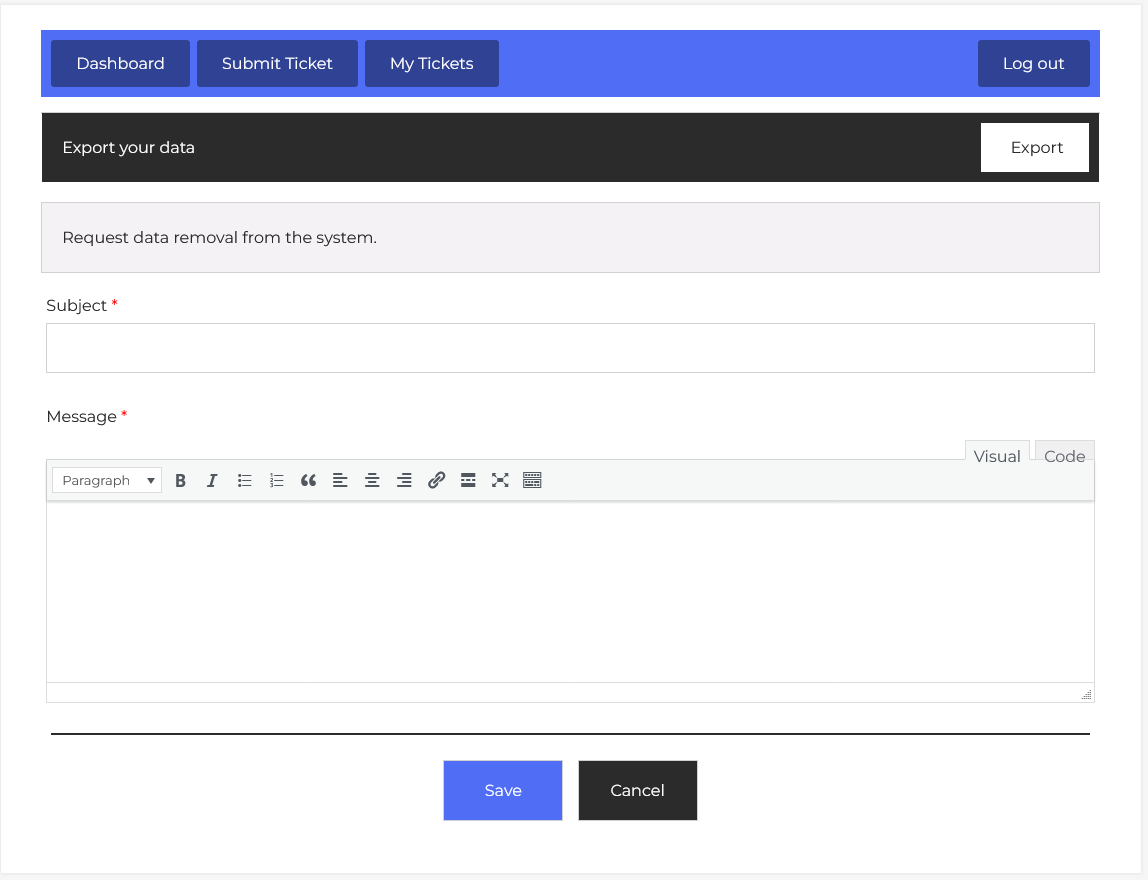
Now, let’s walk through the step-by-step process of adding an erase data request from the user’s end. From your user dashboard, navigate to the User Dashboard > Dashboard Menu > User Data. On the ‘Add Request data removal from the system’ form, we will provide all the necessary details for adding a request.
The User Data Request feature in JS Help Desk allows users to manage their personal information in compliance with global data privacy laws like GDPR. This feature provides two key capabilities: exporting your data and submitting a request for data removal.
Export Data

At the top of the interface, you’ll see an Export Your Data section. This lets you download a copy of all the information the help desk has stored about you. For example, if you’ve submitted multiple tickets over time, your export will include ticket details, timestamps, attachments, and other relevant account data. This is useful if you need a personal record of your interactions or if you want to review what information is being stored before deciding to delete it. To do this, simply click the Export button, and the system will prepare your data in a downloadable file format.
Data Removal Section
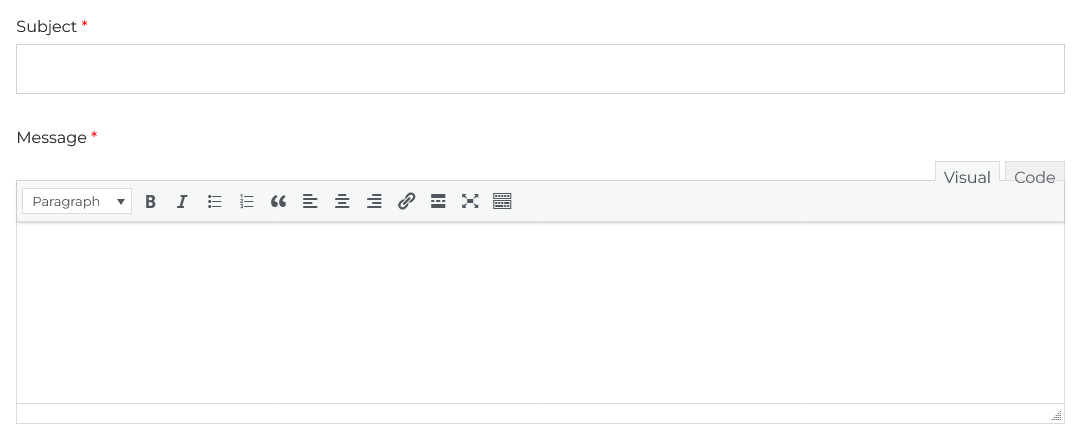
Below that, you’ll find the Request Data Removal section. This is where you can formally request that your personal information be erased from the system. The process is straightforward: enter a Subject for your request (e.g., “Request to Erase My Data”) and a detailed Message explaining what you want removed and why. This message will be sent to the help desk administrators, who will review and process your request. The Message field supports rich text formatting, meaning you can add bullet points, bold text, or links if needed.
Once you’ve completed your request, click the Save button to submit it. Your request will be sent to the administrators to manage and process user requests to remove their personal information from the system.
Withdraw Erase Data Request

The Withdraw Erase Data Request feature in JS Help Desk allows you to cancel a previously submitted request to delete your data from the system. This option is especially useful if you have changed your mind after requesting data removal or if you realize that you still need access to your account, ticket history, or other stored information. Instead of waiting for the deletion process to complete, you can use this feature to stop the request instantly and preserve your data.
When you have an active erase data request, a notification appears at the top of the User Data Request page. You will see a button labeled “To withdraw erases data request.” Clicking this button will immediately trigger the withdrawal process, signaling to the system that your previous deletion request should no longer be processed.