
Help Topic In The JS Help Desk!
Help Topic
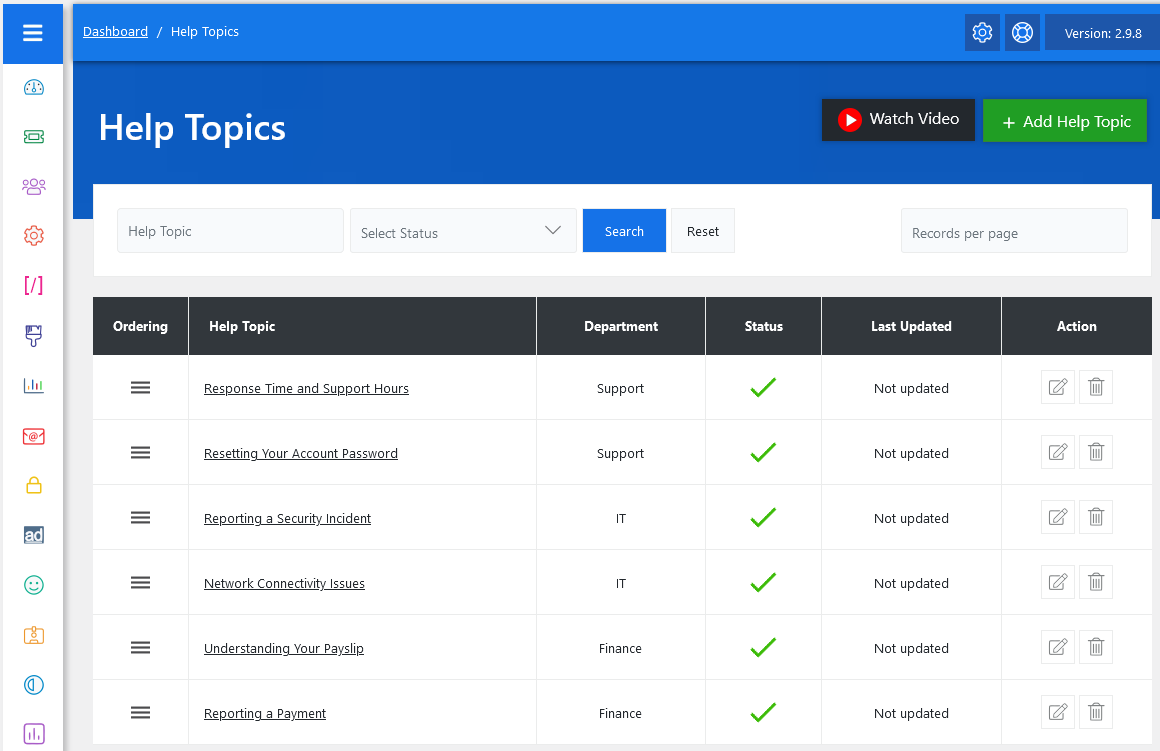
From your admin dashboard, navigate to the Admin Dashboard > Dashboard Menu > Help Topic. On the help topic page, you will find various options for the admin to manage help topics. All details about the help topics and how the admin handled them are discussed here.
The Help Topic feature in JS Help Desk serves as a predefined category that users can choose when submitting a support ticket. It helps users categorize their issues accurately and ensures that tickets are routed to the appropriate department. This significantly reduces confusion, response time, and misdirected requests. It allows administrators to define specific issues or inquiries that customers might have and map them to appropriate departments.
Search

You can use the search filter to quickly find a help topic. You can search by Help Topic Name and Status (Active/Disabled). Simply clicking on the Search button will show the help topic for that criterion. The Reset button clears the filters and restores the full help topics list.
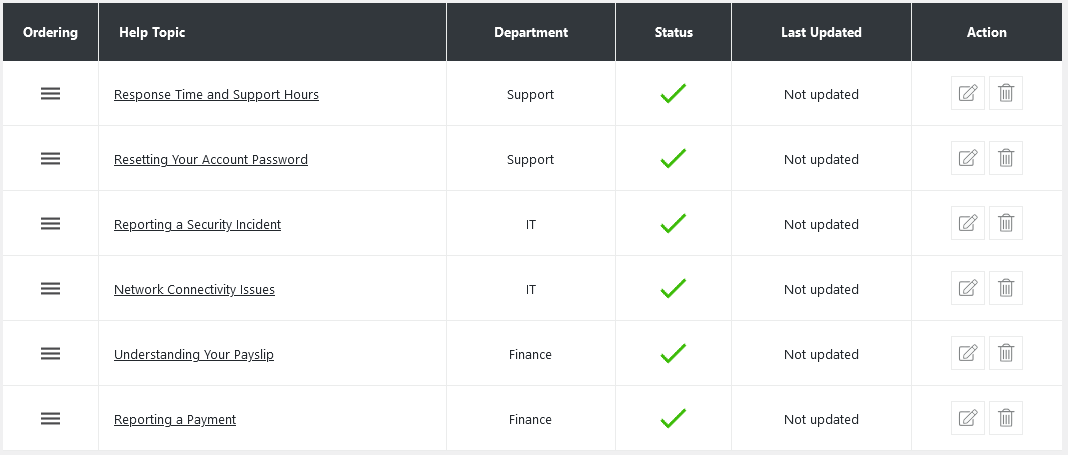
When a user goes to submit a ticket, they are presented with a Help Topic dropdown menu. These help topics act like specific issue types—for example, “Resetting Your Account Password,” “Reporting a Security Incident,” or “Understanding Your Payslip.” Each topic is linked to a specific department (like IT, Support, or Finance), which means the ticket is instantly routed to the right team based on the selected topic.
Each help topic also has a status indicator. A green check mark means the topic is active and visible to users. The ordering feature allows administrators to control the display sequence of help topics in the dropdown menu seen by end users. Actions such as editing or deleting a help topic are also available. Clicking the pencil icon allows you to modify an existing help topic, such as changing its name or department. The trash icon permanently removes the topic.
Change Fields Ordering
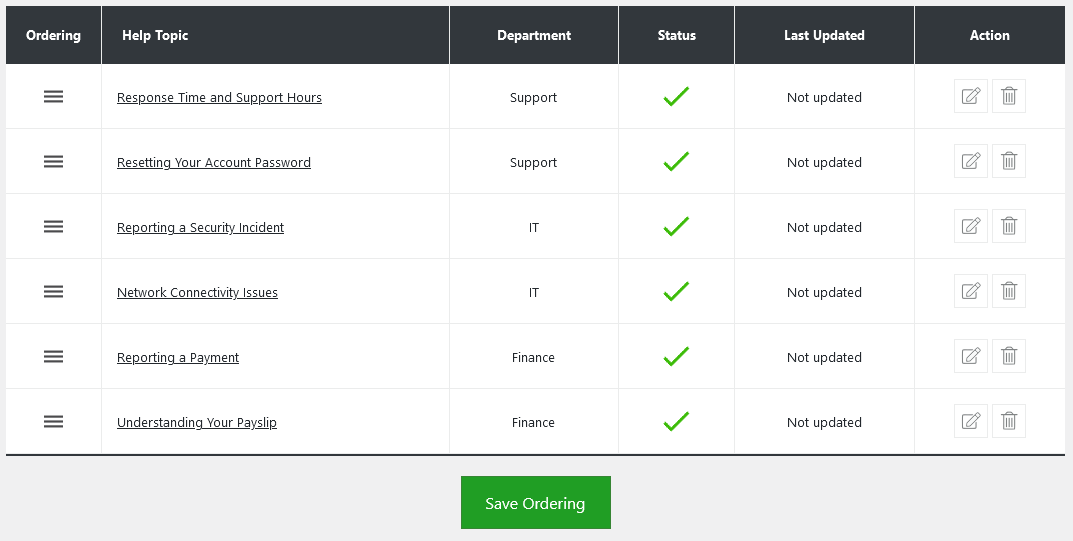
You can also adjust the order of your help topic on the ticket form, determining the sequence in which help topics appear in the combo box. After modifying the field order and saving the changes, the help topic will reflect your preferred ordering in ticket form.