
Feedback In The JS Help Desk!
Feedbacks
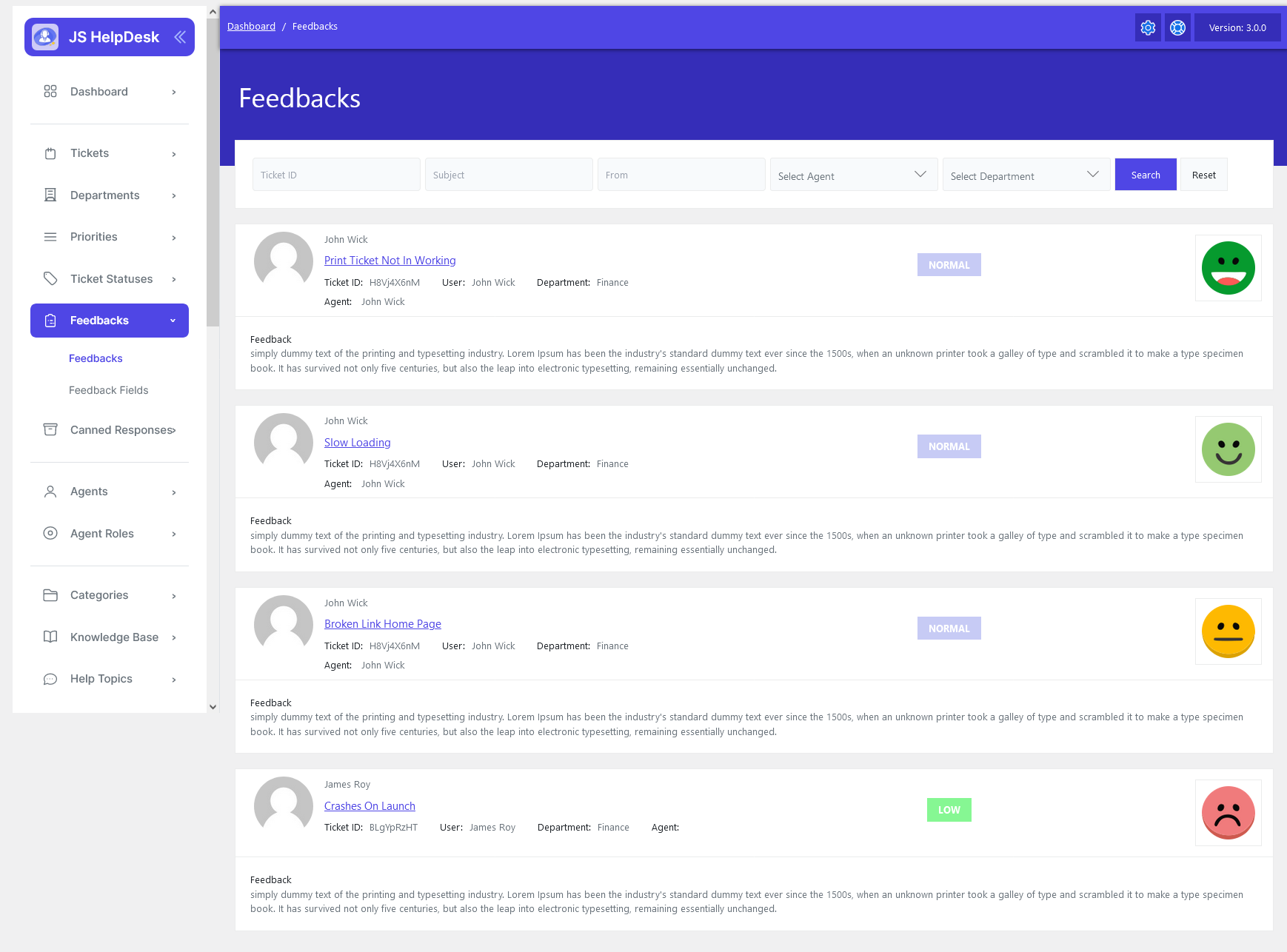
From your admin dashboard, navigate to the Admin Dashboard > Dashboard Menu > Feedback. On the feedback page, you will find various options for the admin to manage feedback. All details about feedback and how the admin handled them are discussed here.
The Feedback section in JS Help Desk allows administrators and support managers to collect and review customer feedback related to resolved or closed tickets. This feature helps you monitor the performance of your support team, evaluate customer satisfaction, and identify areas for improvement. Every time a ticket is closed, users have the option to rate the support they received and leave comments about their experience.
Search

You can use the search filter to quickly find feedback. You can search by Ticket ID, Subject, From, Select Agent, and Select Department. Simply clicking on the Search button will show the feedback for that criterion. The Reset button clears the filters and restores the full feedback list.

Each feedback entry includes detailed information, such as the ticket ID, subject, username, assigned agent, and department. It also displays the feedback rating, represented visually with emoticons or color-coded labels (for example, green for “Happy,” yellow for “Normal,” and red for “Sad”). This helps administrators quickly gauge the overall sentiment of the feedback without needing to read every comment in detail. For instance, if most tickets show green smiles, it indicates that users are satisfied with the support experience.
Each feedback entry also includes the customer’s written comment, which provides valuable context behind the rating. These comments help administrators understand specific pain points or highlights, such as “The response was quick, but the issue wasn’t fully resolved,” or “The agent was very helpful and explained everything clearly.” Such insights go beyond ratings and help you continuously improve customer service quality.