
Update Key In The JS Help Desk!
Update Key
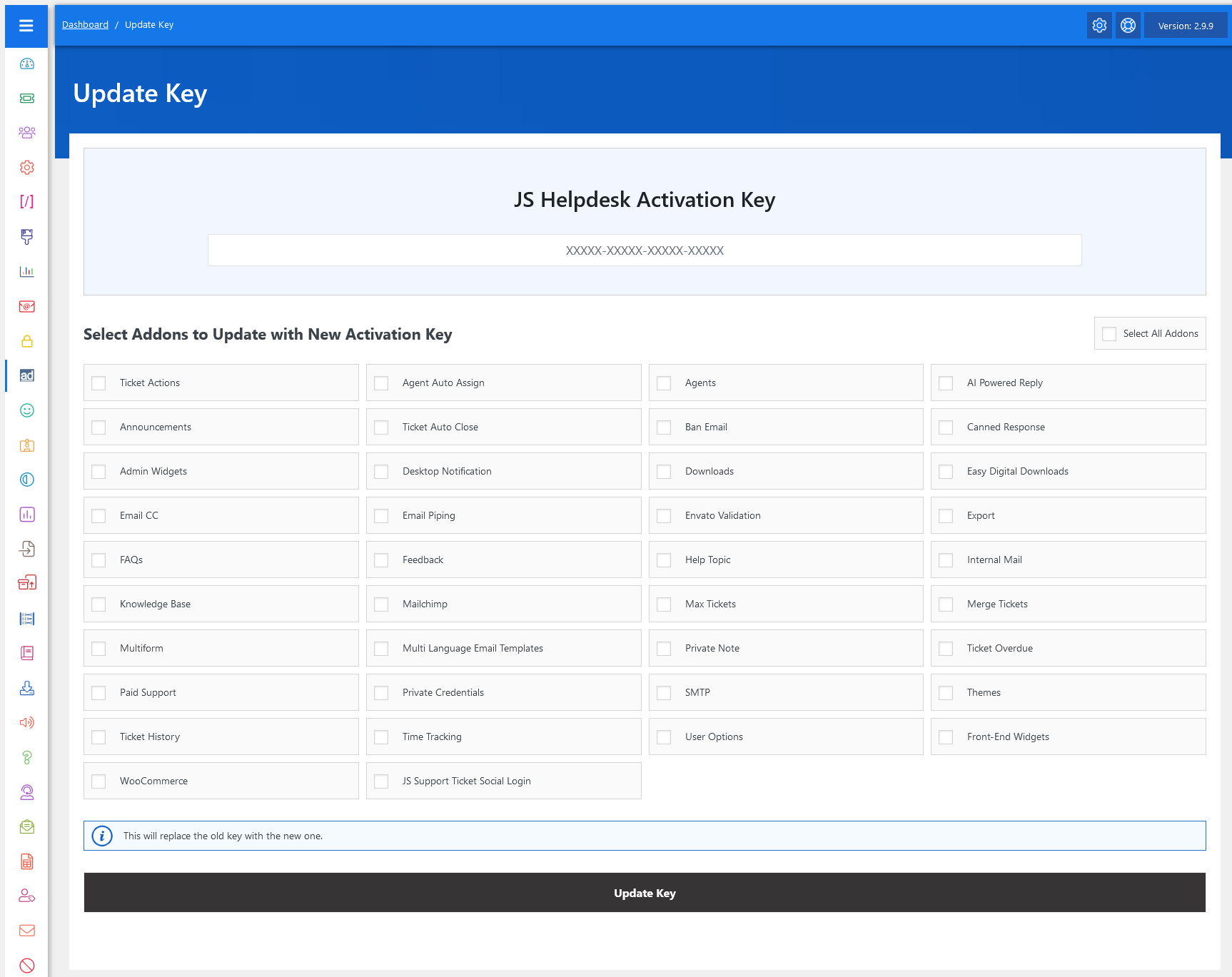
From your admin dashboard, navigate to the Admin Dashboard > Dashboard Menu > Update Key. On the update key page, you will find various options that the admin can use to manage the addons.
The Update Key feature in JS Help Desk allows administrators to manage and update their addon activation keys in a centralized and straightforward way. Since addons often require a valid license key to remain active, secure, and up-to-date, this feature ensures that all your addons stay properly licensed without having to update each one manually. It saves time, avoids errors, and keeps the help desk environment running smoothly.
Activation Key

At the top of the page, you will see the field to enter your JS Help Desk Activation Key. This is where you input the new key provided after purchasing or renewing your license. Once entered, this key can be applied to one or multiple addons at once, replacing the old key with the new one. For example, if your existing key is about to expire and you have renewed your license, you simply paste the new key here and apply it to all the addons you want to update. Another important aspect is that the old activation key is automatically replaced with the new one. This prevents conflicts between different keys and guarantees that the latest valid license is always applied.
Update With New Activation Key
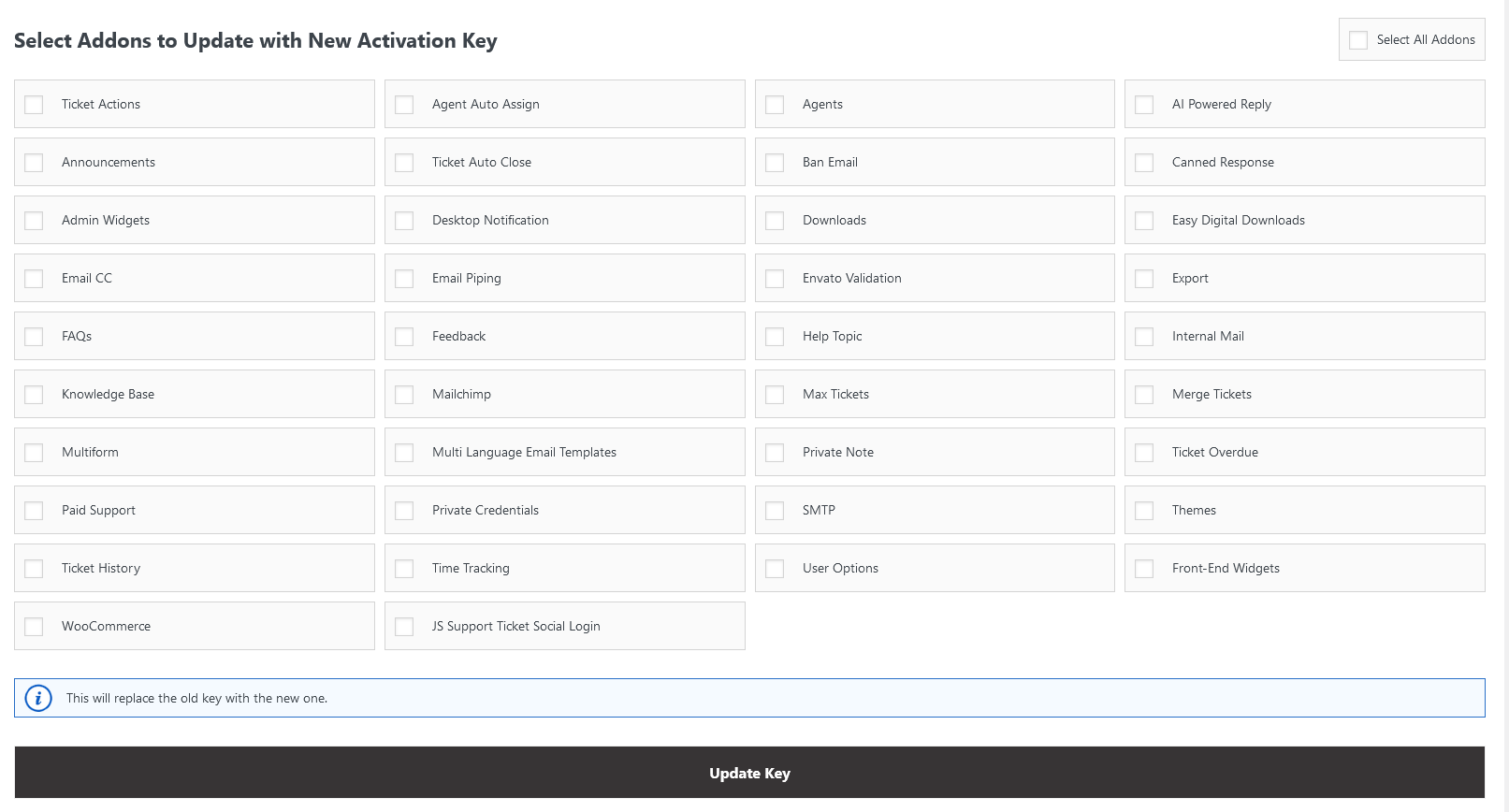
The system provides you with the option to select individual addons or update the key for all addons simultaneously. For instance, if you only need to update the activation key for “Ticket Actions,” “AI Powered Reply,” and “Help Topic,” you can check only those addons. On the other hand, if you want to apply the new key across your entire setup, you can simply select the “Select All Addons” option, saving you the trouble of going one by one.