
Cron Job URLS In The JS Help Desk!
Cron Job URLS
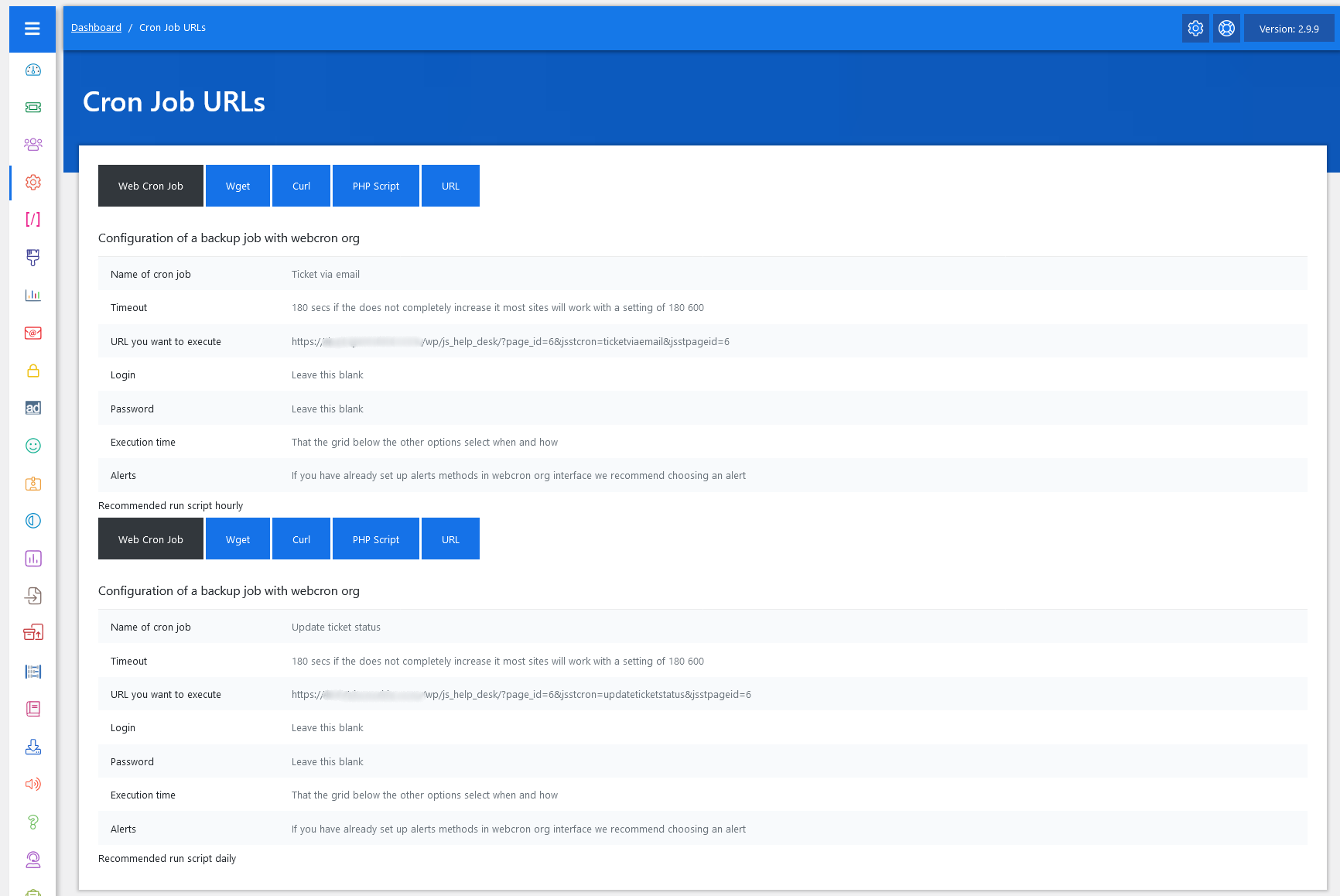
As an administrator, navigate to the Admin Dashboard > Dashboard Menu > Configurations > Cron Job URLS. On the crown job URLs page, you will find various configurations that the admin can use to manage the JS Help Desk.
The Cron Job URLs feature in JS Help Desk automates essential background tasks, ensuring that your help desk runs efficiently without manual intervention. A cron job is a scheduled task that automatically executes at specified intervals, such as hourly, to perform maintenance or system operations. In JS Help Desk, these cron jobs are used to automate processes such as fetching new tickets from emails, updating ticket statuses, sending notifications, and performing data cleanups.
When you open the Cron Job URLs section, you’ll find multiple configuration options, such as Web Cron Job, Wget, Curl, PHP Script, and URL. These options represent different methods to execute a cron job on your server or through an external service.
Web Cron Job
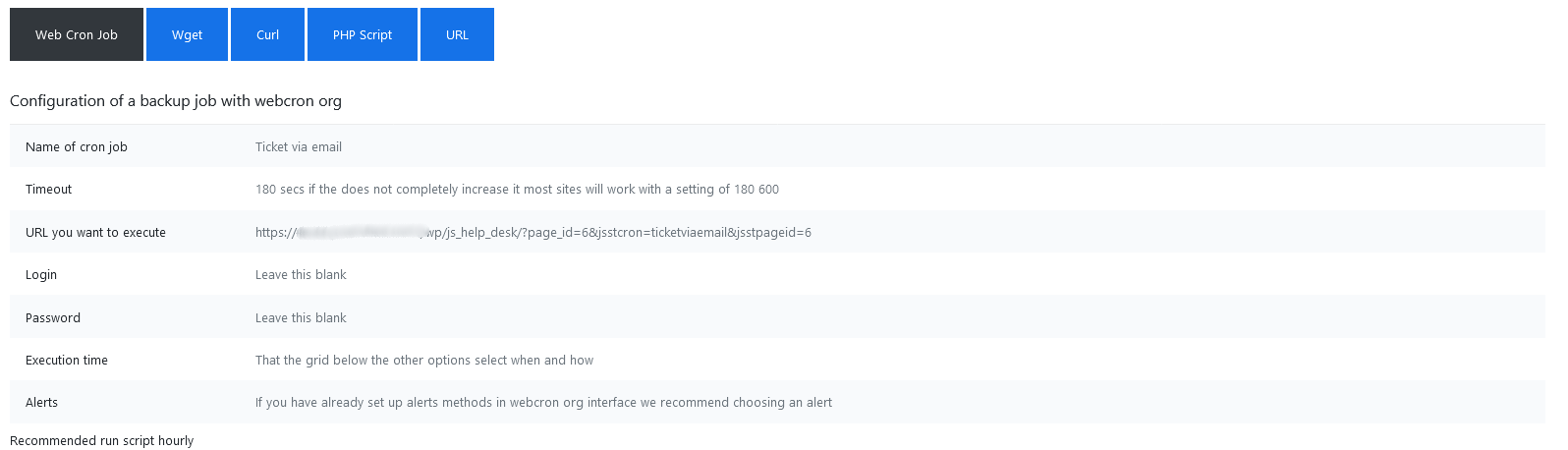
Each cron job configuration includes details such as the name of the cron job, Timeout, URL to execute, Login, Password, Execution Time, and Alerts. Using a Web Cron Job via a service like webcron.org allows you to schedule the URL to run automatically every hour. This setup ensures that your system continuously fetches emails and converts them into tickets without needing to log in manually.
Wget
The Cron Scheduling using the Wget option in JS Help Desk is one of the most reliable ways to automate background tasks like the Ticket via Email process. Wget is a command-line utility used on Linux servers to download files or execute web URLs. In this context, JS Help Desk provides a ready-made command that uses Wget to trigger the cron job URL periodically—ensuring that your help desk system automatically fetches new support emails and converts them into tickets.
CURL

This cURL command triggers the JS Help Desk cron task that automates certain operations, for example, checking new emails, auto-closing tickets, overdue handling, etc.
PHP Script
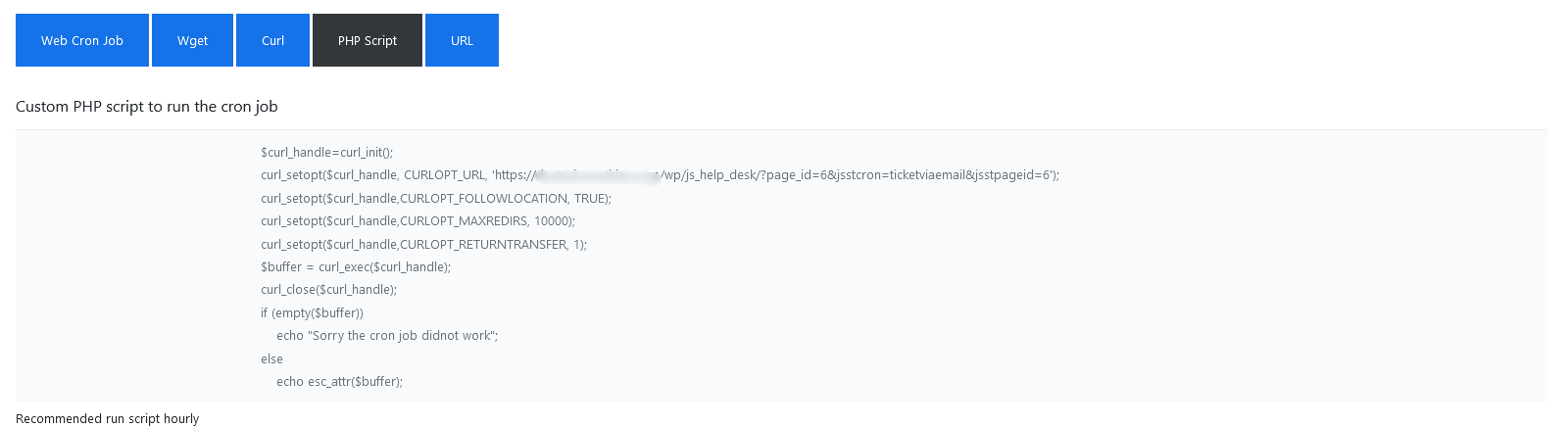
The Cron Scheduling using PHP Script option in JS Help Desk allows you to automate background tasks, such as fetching emails and converting them into tickets, by directly executing a PHP command. This method is ideal for users who have full control over their hosting environment or server and prefer using PHP for cron execution instead of Wget or Curl.
URL

The Cron Scheduling using URL method in JS Help Desk is the simplest and most direct way to trigger automated tasks—like fetching new emails and converting them into tickets—by visiting a specific web address. This option is ideal if you prefer manual control or want to use external services to call the cron job URL periodically. You can test the URL manually by visiting it in your browser. If the setup is correct, JS Help Desk will execute the process silently without displaying visible output.