
Ticket Statuses In The JS Help Desk!
Ticket Statuses
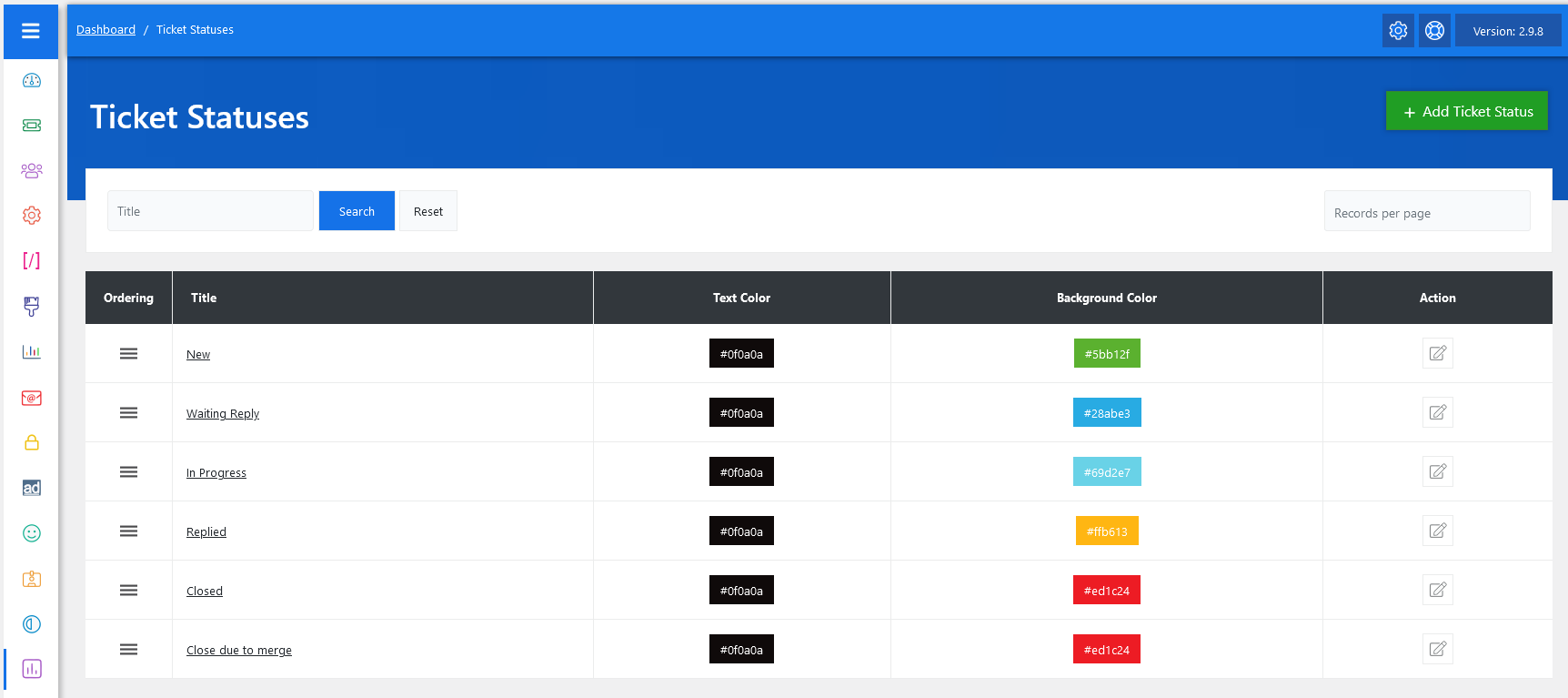
From your admin dashboard, navigate to the Admin Dashboard > Dashboard Menu > Ticket Statuses. On the priorities page, you will find various options for the admin to manage priorities. All details about priorities and how the admin manages them are discussed here.
Ticket statuses in JS Help Desk are designed to help you track the exact stage of every support request. Each status represents the current condition of the ticket, making it easy for both support agents and customers to understand where an issue stands in the resolution process.
When a ticket is created, it is automatically assigned a status. As agents and users interact with the ticket, the status changes accordingly. For example, when a customer first submits a ticket, the status may be marked as New. When an agent replies and is waiting for the customer’s response, the ticket can switch to Waiting Reply. These statuses update dynamically as the conversation continues.
Search

You can use the search filter to find the ticket statuses quickly. You can search by Title. Fill the title field, and clicking on the Search button will display the ticket statuses corresponding to that criterion. The Reset button clears the filters and restores the full list of ticket statuses.
Listing
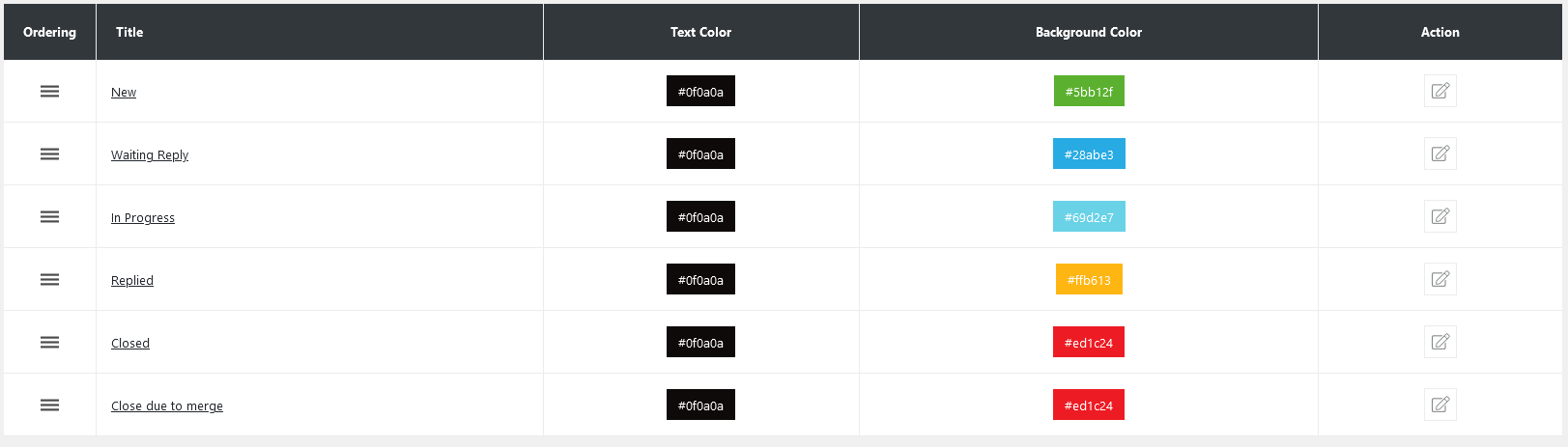
Administrators can fully customize ticket statuses to fit the organization’s workflow. Each status can be edited with a title, text color, and background color, making it easy to distinguish statuses visually on the dashboard. For example, “Closed” can be set to red for quick recognition, while “New” can appear in green to highlight incoming tickets. This visual cue system improves efficiency, especially when dealing with large volumes of support requests.
-
New → A newly created ticket that has not yet been reviewed by support staff.
-
Waiting Reply → A ticket where the agent has responded and is waiting for the customer’s input.
-
In Progress → A ticket currently being worked on by the support team.
-
Replied → A ticket where the agent has responded but may still require further action.
-
Closed → A ticket that has been successfully resolved and marked as complete.
-
Closed due to merge → A ticket that has been merged into another to avoid duplicates.
Change Fields Ordering
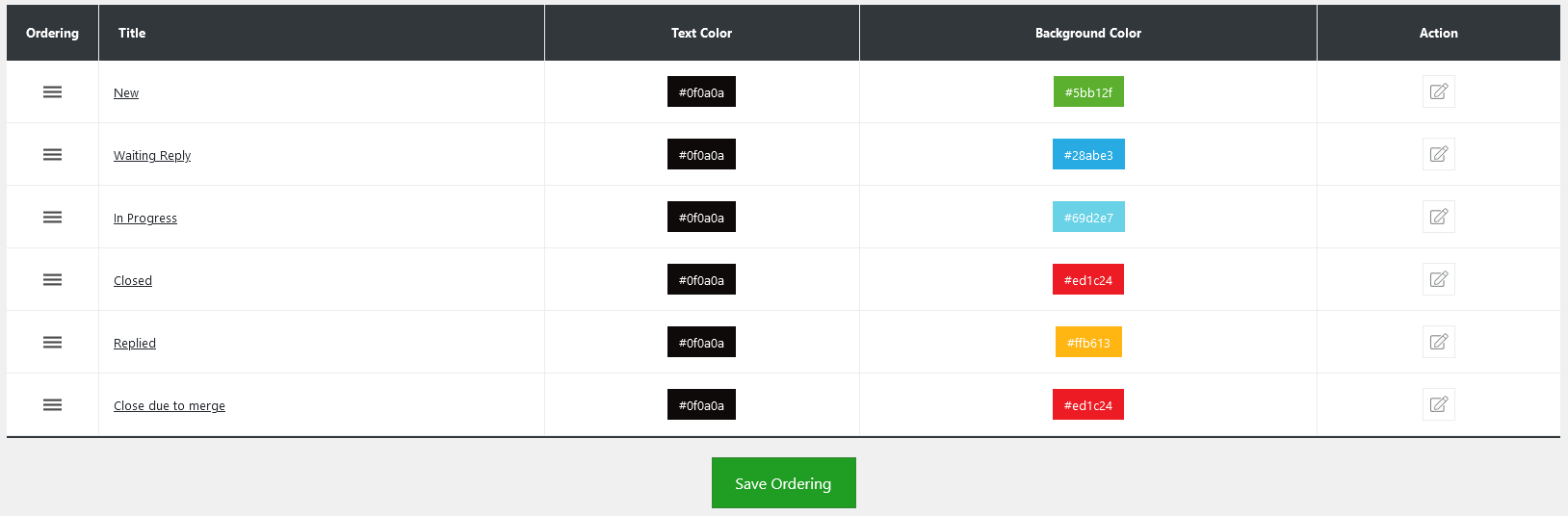
Admins also have control over the ordering of the priority using drag-and-drop functionality via the handle icon in the Ordering column. Additionally, there’s an option to “Add Ticket Statuses” at the top right of the “Ticket Statuses” page.