
What can we help you with?
Add Ticket Status In The JS Help Desk!
Ticket Status
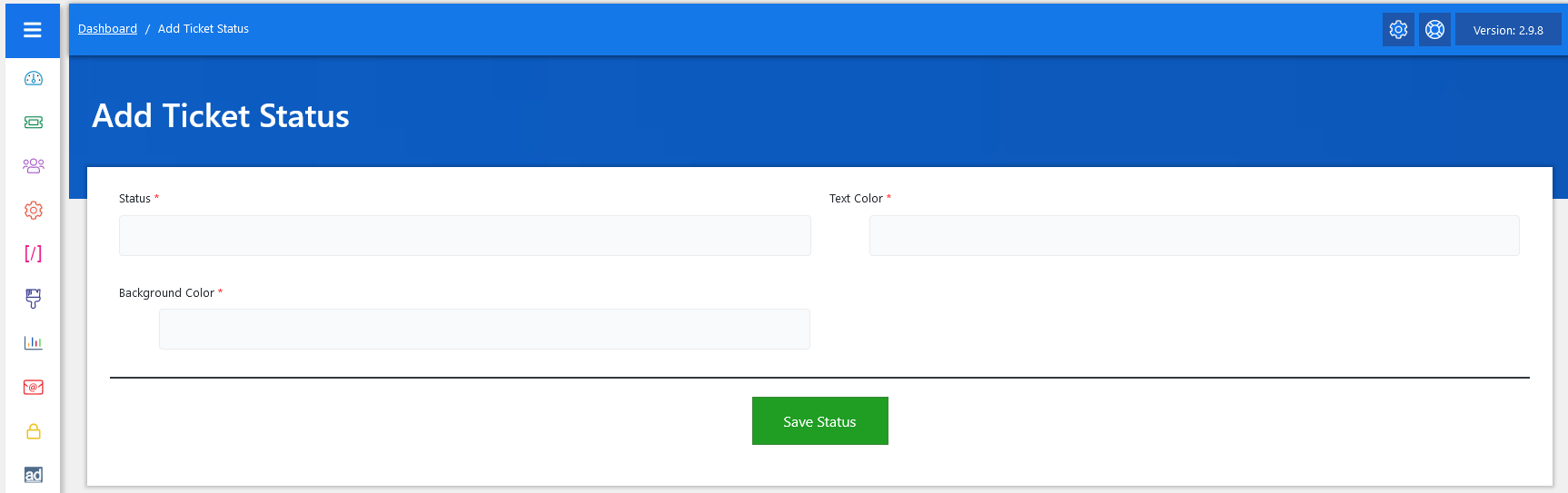
Now, let’s walk through the step-by-step process of adding a ticket status from the admin end. From your admin dashboard, navigate to the Admin Dashboard > Dashboard Menu > Add Ticket Status to start adding a ticket status effectively. On the ‘Add Ticket Status’ form, we will provide all the necessary details for adding a ticket status.
- Status: Enter the title of the status.
- Text Color: Click on the text color field to explore different shades.
- Background Color: Click on the background color field to explore different shades.
After filling in all the relevant fields, simply click the green “Save Status” button at the bottom of the form. The system will validate the inputs and create the new status. If any required information is missing or incorrect, a notification will alert you to fix it before submission.