
Department Reports In The JS Help Desk!
Department Reports
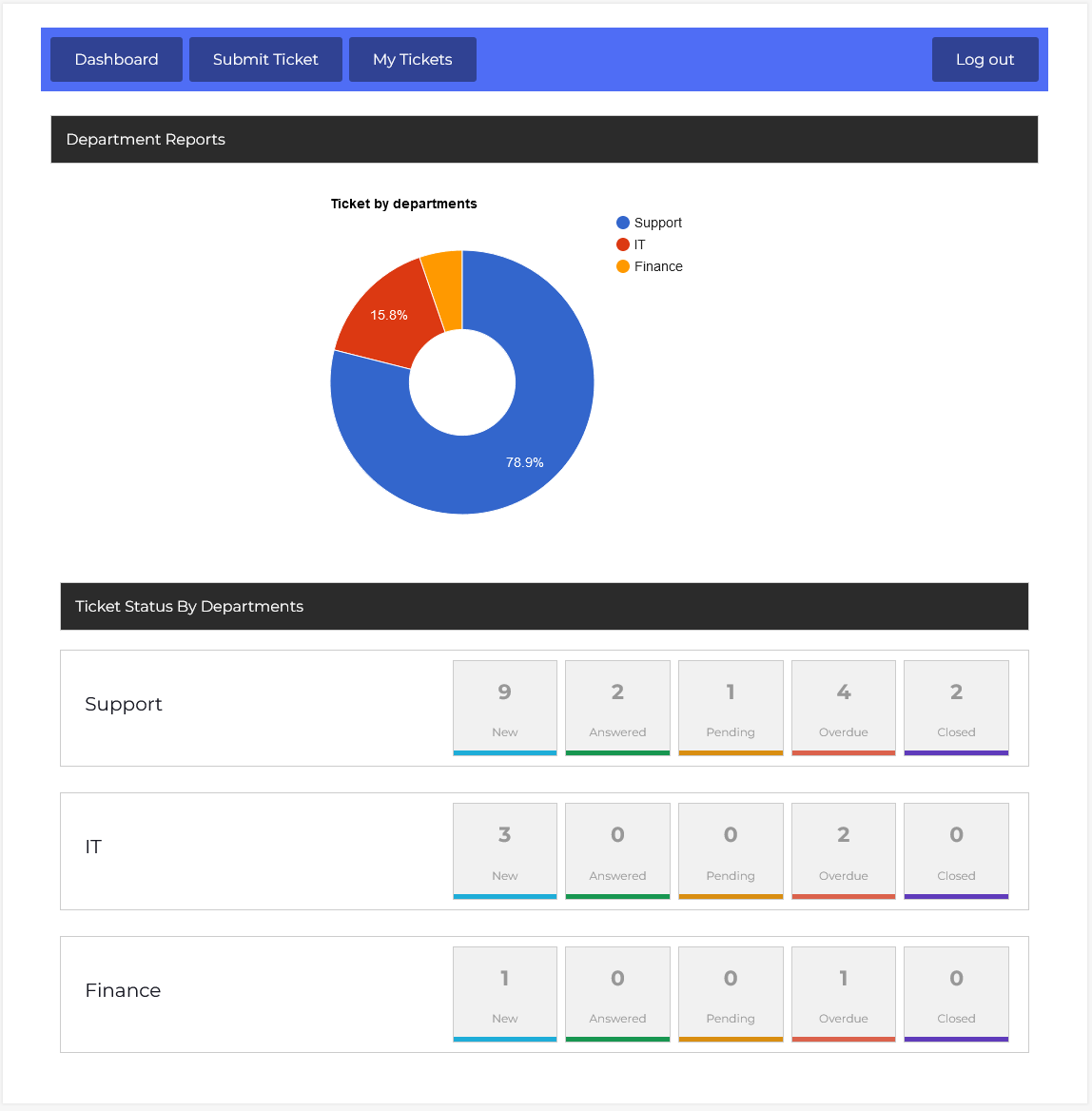
From your agent dashboard, navigate to Agent Dashboard > Dashboard Menu > Department Reports. The Department Report feature in JS Help Desk provides a clear and comprehensive view of your help desk’s performance across different departments. This feature allows you to monitor ticket activity for a specific date range, giving you actionable insights into the workload, response rates, and resolution efficiency of each department.
Ticket By Departments
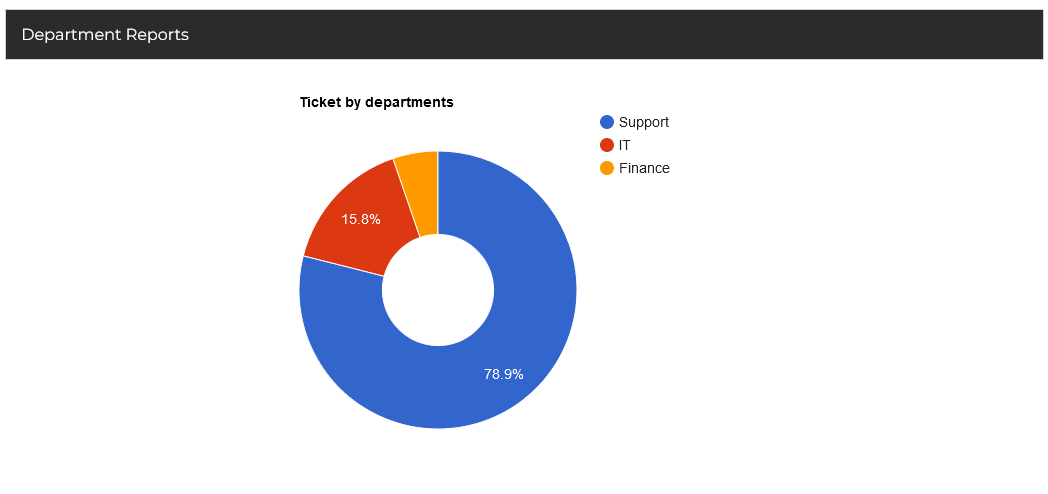
The Tickets by Departments pie chart breaks down ticket volumes by department, making it clear which teams are handling the bulk of the workload. If 78% of tickets belong to the “Support” department and only 15% to “IT,” it indicates where most customer issues originate. This can help with resource allocation, staffing adjustments, or even targeted training.
Ticket Status By Departments

The Departments section displays a breakdown of ticket statuses for each department in a clear, segmented format. Each department is listed with its contact email and has individual status indicators for Open, Answered, Pending, Overdue, and Closed tickets. For example, the Support Department may show 9 new tickets, 2 answered, 1 pending, 4 overdue, and 2 closed, allowing agents to see at a glance where attention is needed.