
Outbox In The JS Help Desk!
Outbox
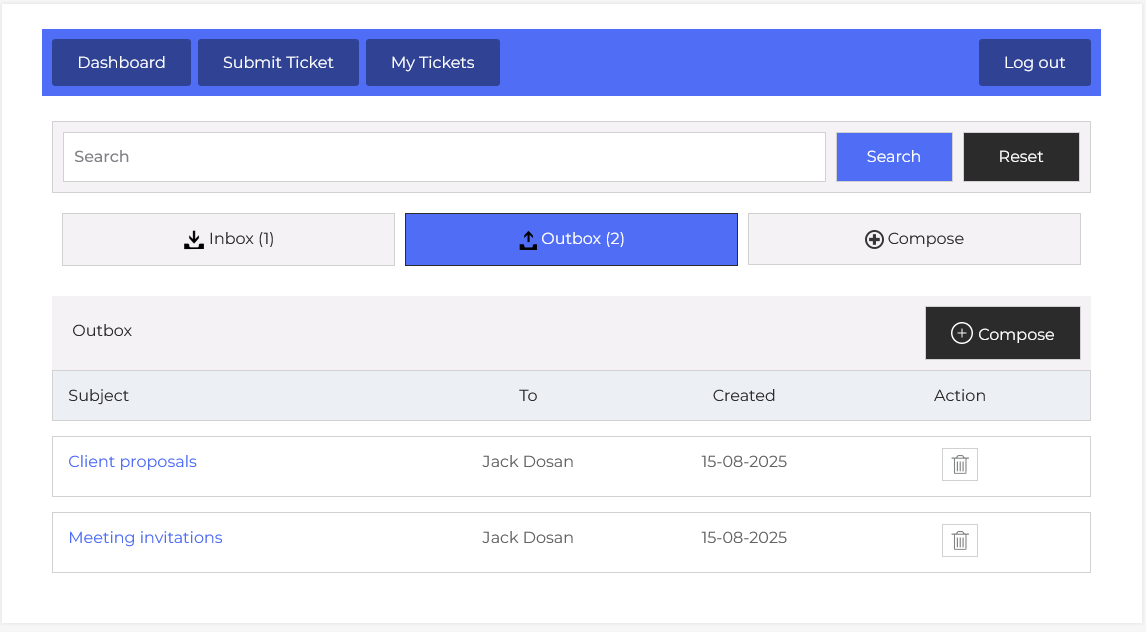
The Outbox Mail feature in JS Help Desk allows agents to view, manage, and track all the messages they have sent within the help desk system. This centralizes communication and ensures you have a complete record of your outbound correspondence with other agents. By keeping a log of sent messages, you can easily revisit past discussions, confirm delivery, and maintain a transparent history for reference or follow-ups.
Search

At the top of the Outbox interface, you can see a search bar that lets you quickly locate specific sent messages. For example, if you remember sending a proposal to Jack Dosan but can’t recall the exact date, you can type “proposal” in the search box, click Search, and the system will filter relevant results. This makes it simple to retrieve older messages without scrolling through the entire list.
Listing
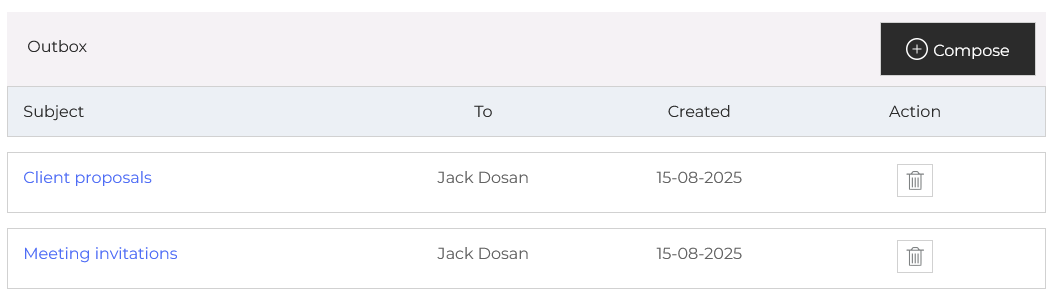
Just below the search options, the Outbox is organized into columns: Subject, To, Created, and Action. The Subject column provides a clickable link to open and view the full details of the message. The To column shows the name of the recipient, the Created column records the date the message was sent, and the Action column allows you to delete a message if it’s no longer needed in your sent log.
The Compose button in the Outbox view allows you to quickly create a new message without navigating away from the page. This is useful when you need to follow up on a previous message directly from the sent list. For instance, if you see that you sent a meeting invitation last week but haven’t received a response, you can click Compose and send a polite reminder right away.