
What can we help you with?
Add Multiform In The JS Help Desk!
Add Multiform
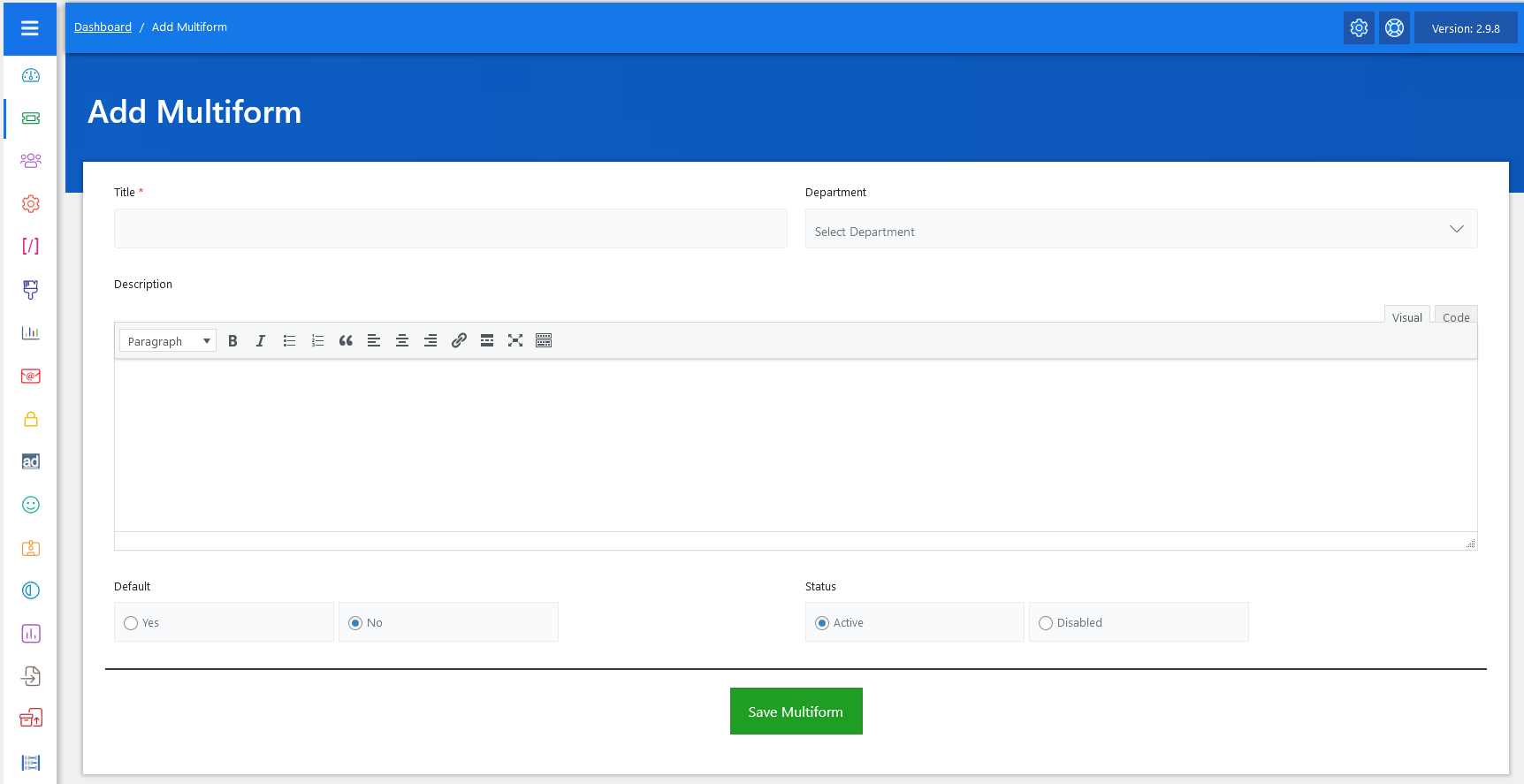
Now, let’s walk through the step-by-step process of adding a multiform from the admin end. From your admin dashboard, navigate to the Admin Dashboard > Dashboard Menu > Multiform to start adding a multiform effectively. Click on the “Add Multiform,” and we will provide all the necessary details for adding a multiform.
- Title: Write the title of the department.
- Department: Choose the department for which the multiform is being posted. All available departments are listed in the drop-down menu.
- Description: A text editor for adding a description of the multiform.
- Default: Controls the default status of the multiform.
- Status: Controls the visibility of Multiform in the pop-up.
Once all these details are filled in, hit the Save Multiform button, and the multiform will be successfully saved.