
Agent Reports In The JS Help Desk!
Agent Reports
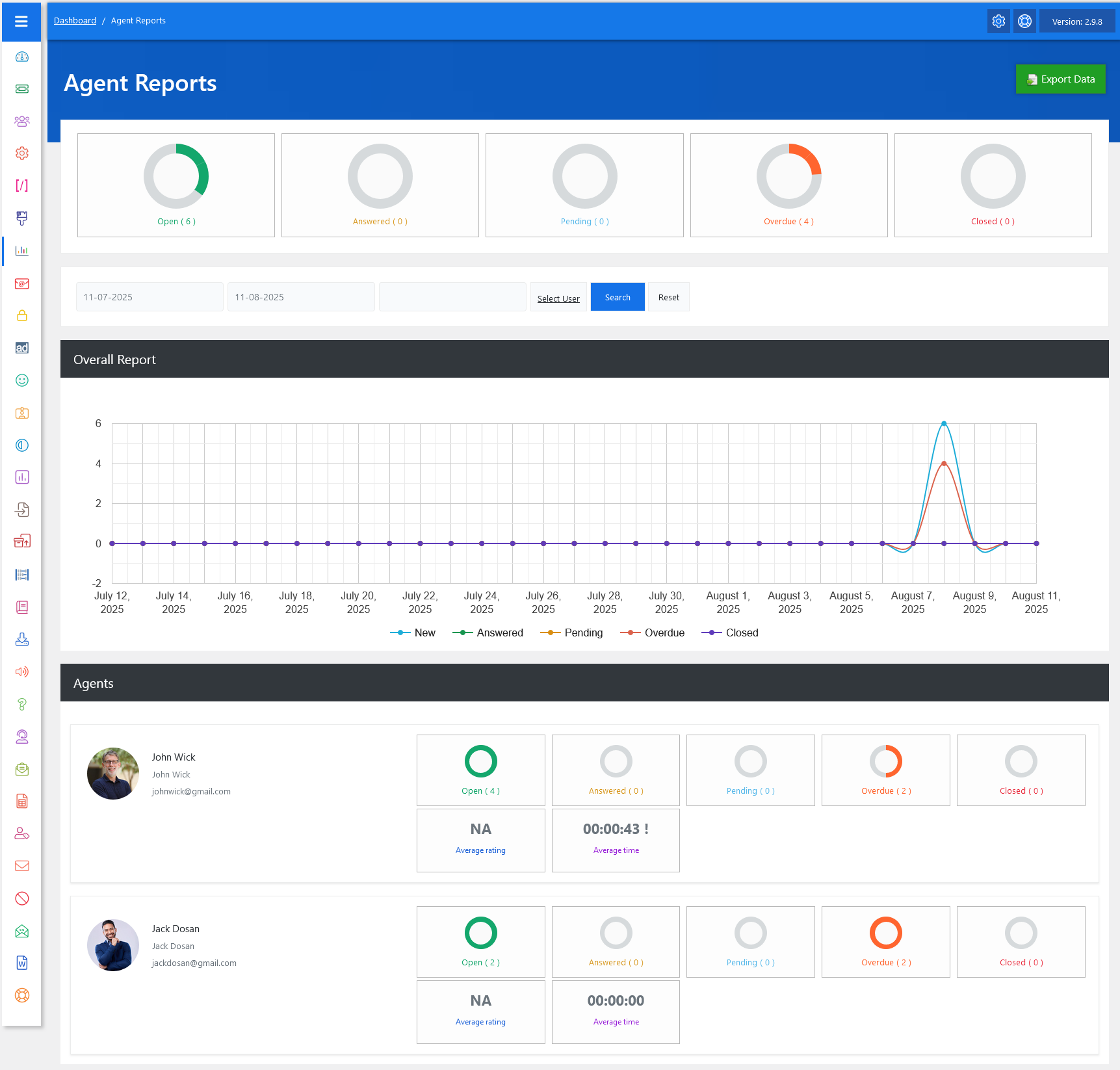
From your admin dashboard, navigate to Admin Dashboard > Dashboard Menu > Agent Reports. The Agent Reports feature in JS Help Desk provides a complete overview of your support agents’ performance, making it easier to track ticket progress, workload, and efficiency. This report compiles all key statistics in one place, allowing admins and managers to monitor the status of tickets handled by each agent.
Top Rings

The top summary section gives you a glance at ticket counts by status, such as Open, Answered, Pending, Overdue, and Closed.
Search

You can filter reports by selecting a date range and optionally choosing a specific user (agent). This helps in generating time-bound reports, such as checking an agent’s performance for the current week or comparing it to last month. For instance, if you select dates from August 1 to August 8 and choose “John Wick” as the user, the system will only display ticket activity for that agent within the specified dates. This ensures accurate and relevant performance tracking without unnecessary data clutter.
Graph
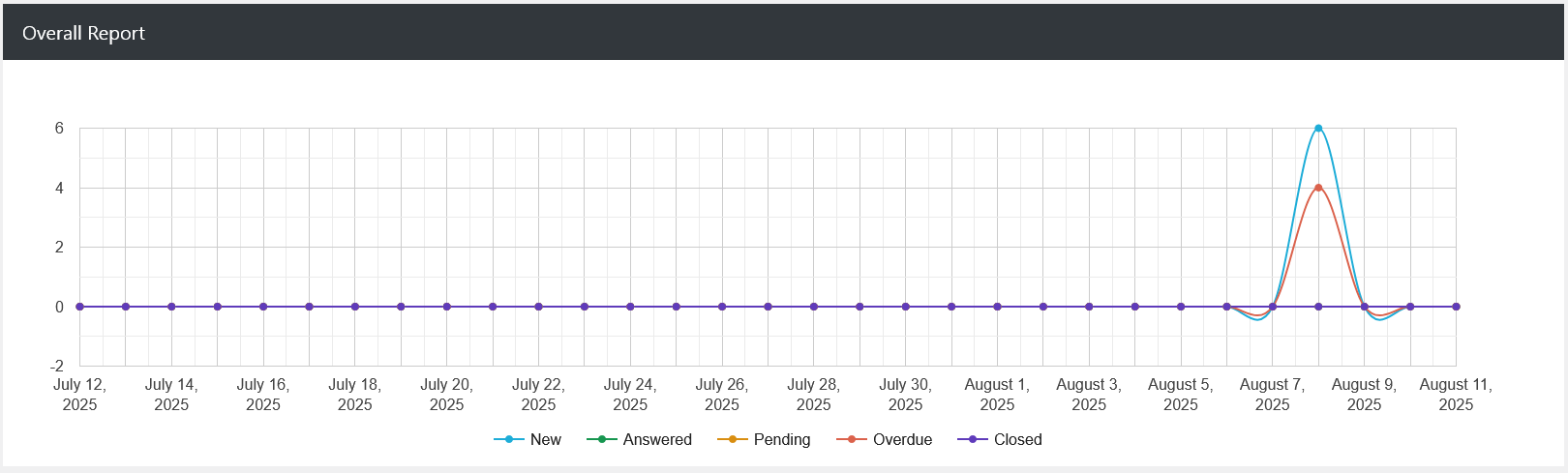
The Overall Report section includes a line chart that visualizes ticket trends over time. Each line represents a different status, like “New” in blue, “Answered” in orange, “Pending” in yellow, “Overdue” in red, and “Closed” in purple. By looking at the chart, you can easily identify activity spikes or drops.
Agents
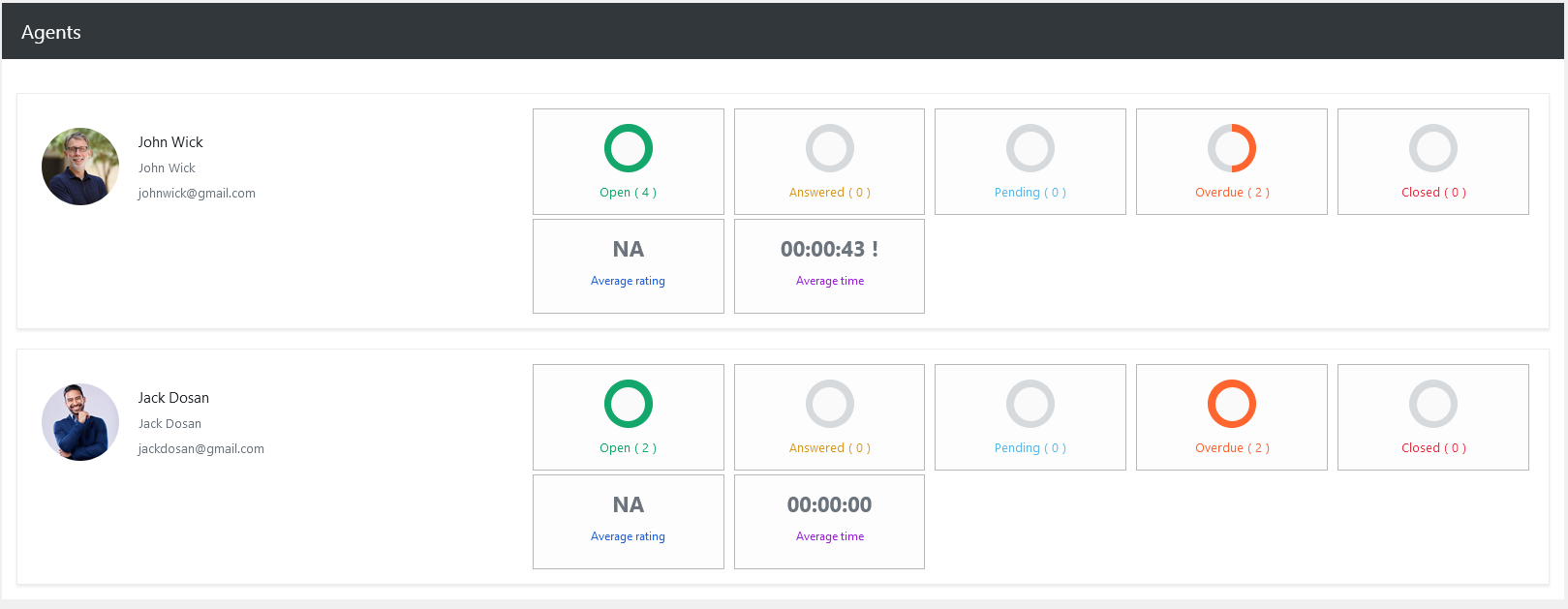
The Agents section provides a detailed breakdown for each support agent. You can see their profile picture, name, email, and the exact count of tickets in each category. This granular data helps managers assess who is managing their workload effectively and who might need assistance.
Each agent’s report also includes average rating and average time metrics. The average rating reflects customer feedback on the agent’s responses, while the average time shows how long it typically takes them to respond or resolve a ticket. For instance, if John Wick has an average response time of 00:00:43, it means he replies very quickly, whereas an agent with 00:10:00 may need to work on speed. If ratings are consistently low, it’s a sign that quality improvements are needed, even if response times are fast.
Export Data
Additionally, there’s an option to “Export Agents Reports Data” at the top right of the “Agent Reports” page. The Export Data feature in JS Help Desk allows you to quickly download your help desk agents’ information in a structured file format, making it easier to back up, share, or analyze your records outside the system. This is especially useful for reporting.