
Widgets In The JS Help Desk!
Widgets
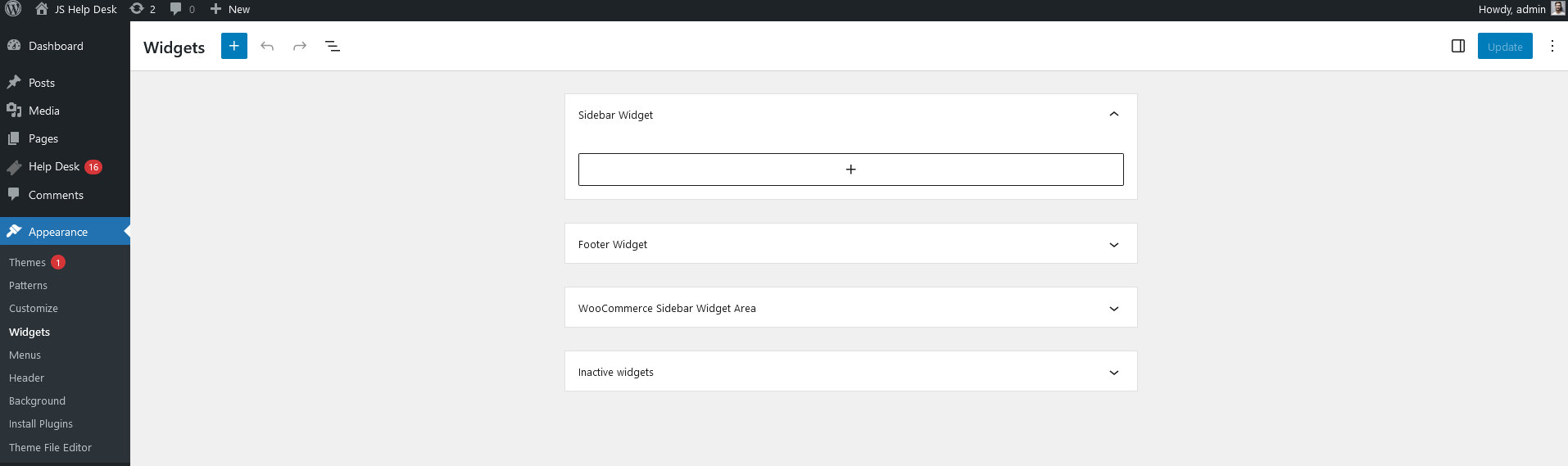
From your admin dashboard, navigate to the Admin Dashboard > Dashboard Menu > Appearance > Widgets. On the widgets page, you will find various options for the admin to manage widgets. All details about widgets and how the admin manages them are discussed here.
In JS Help Desk, the Widgets feature allows you to place helpful, interactive elements on your website or dashboard, making it easier for users and agents to interact with the help desk system. Widgets act as shortcuts or information blocks that provide quick access to important areas, saving users from navigating through multiple pages. They also improve usability, visibility, and efficiency by displaying live data and support options where they’re most needed.
Step 1
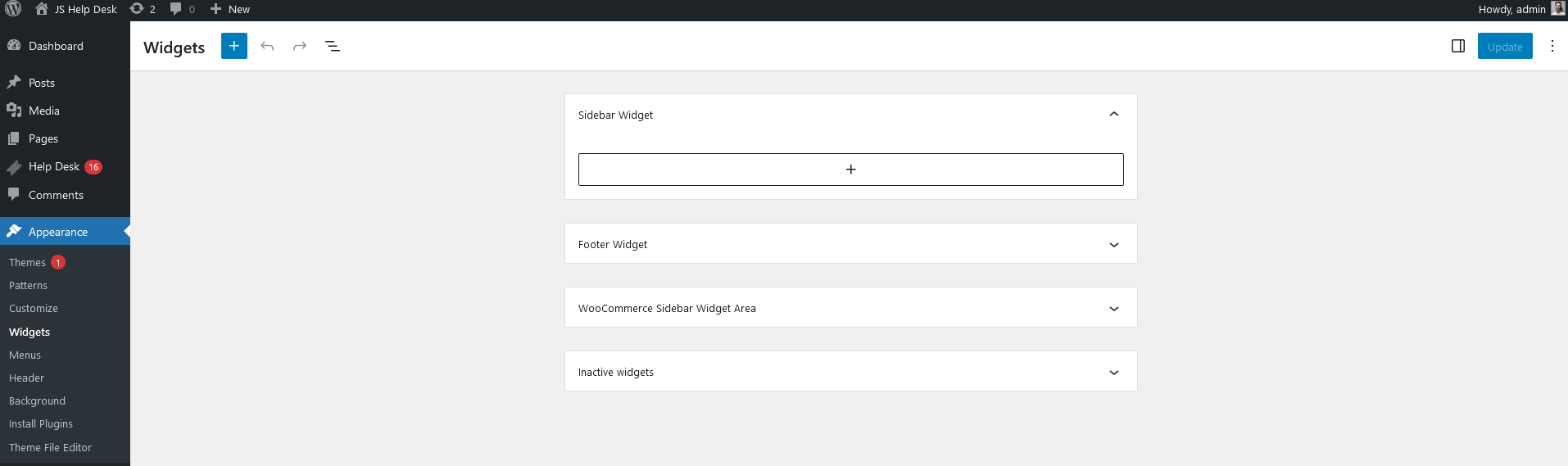
From your admin dashboard, navigate to the WordPress Menu > Appearance > Widgets.
Step 2
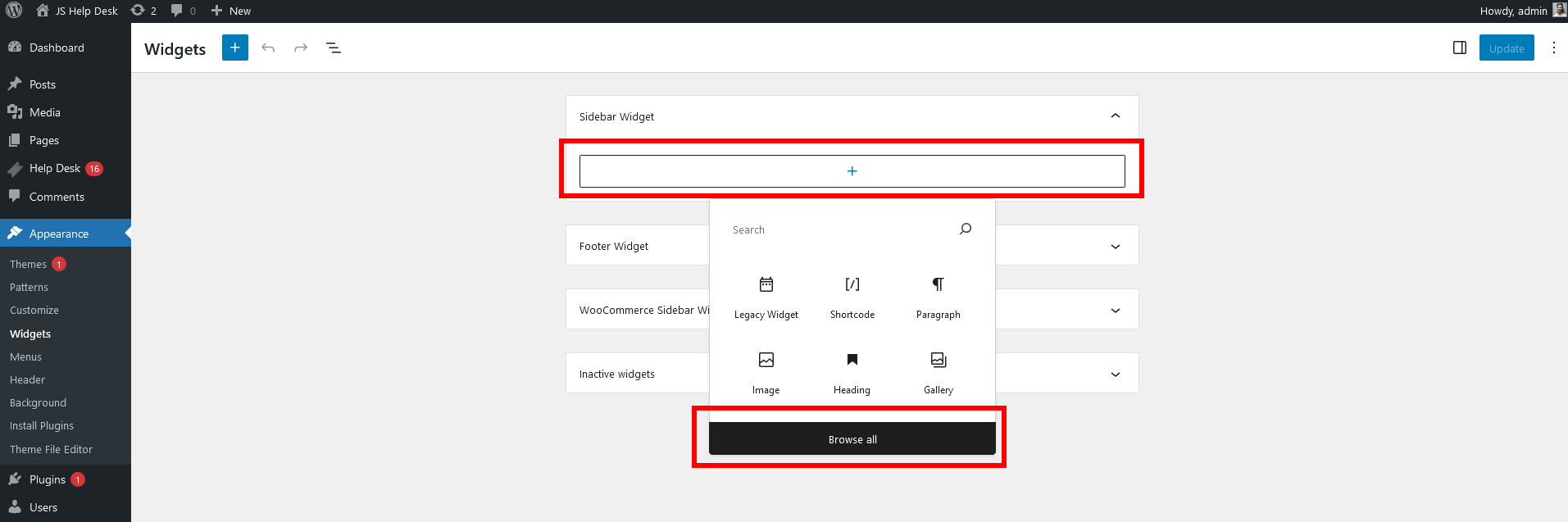
Click on the (+) sign, and then click on the Browse All button.
Step 3
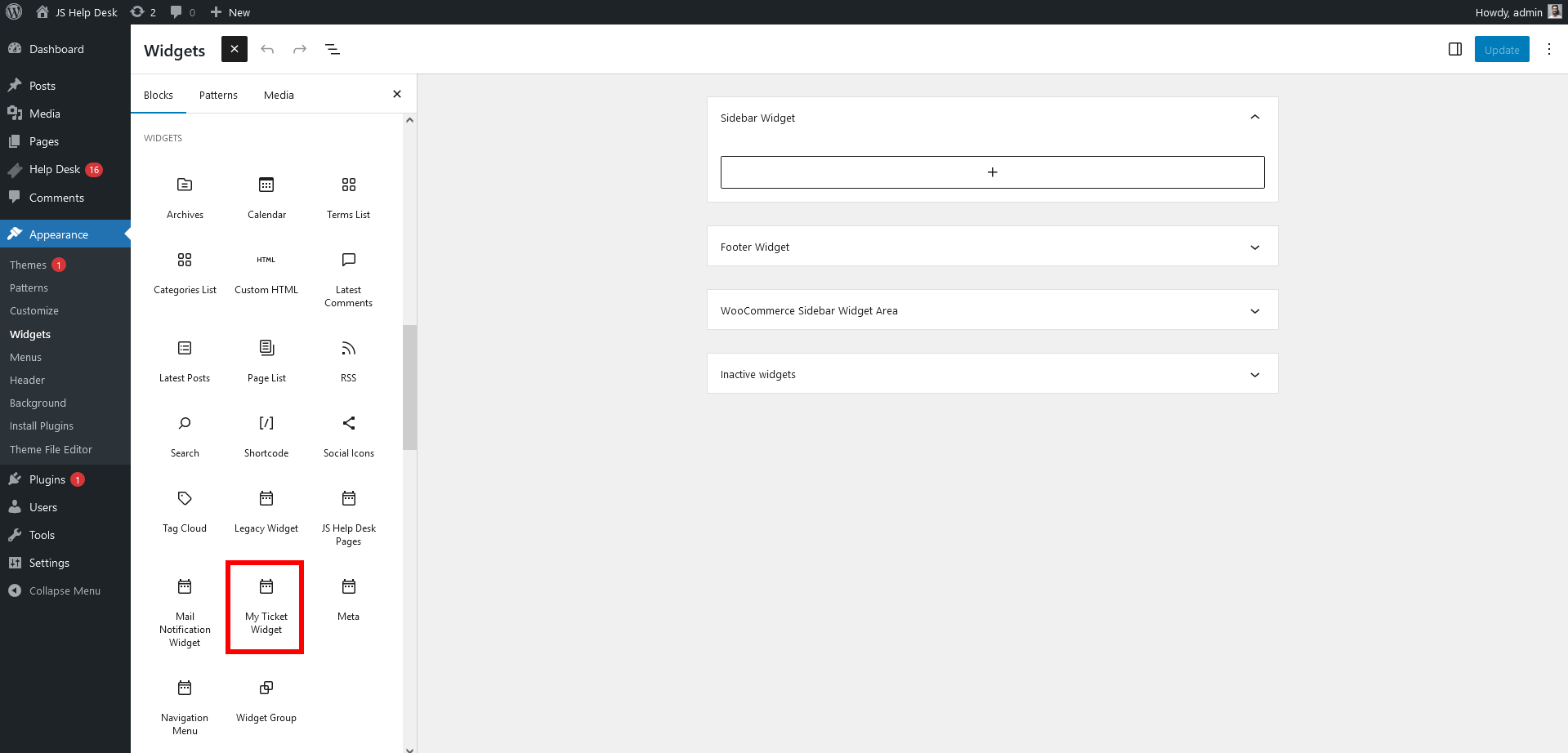
From the list of available widgets, select My Ticket Widget.
Step 4
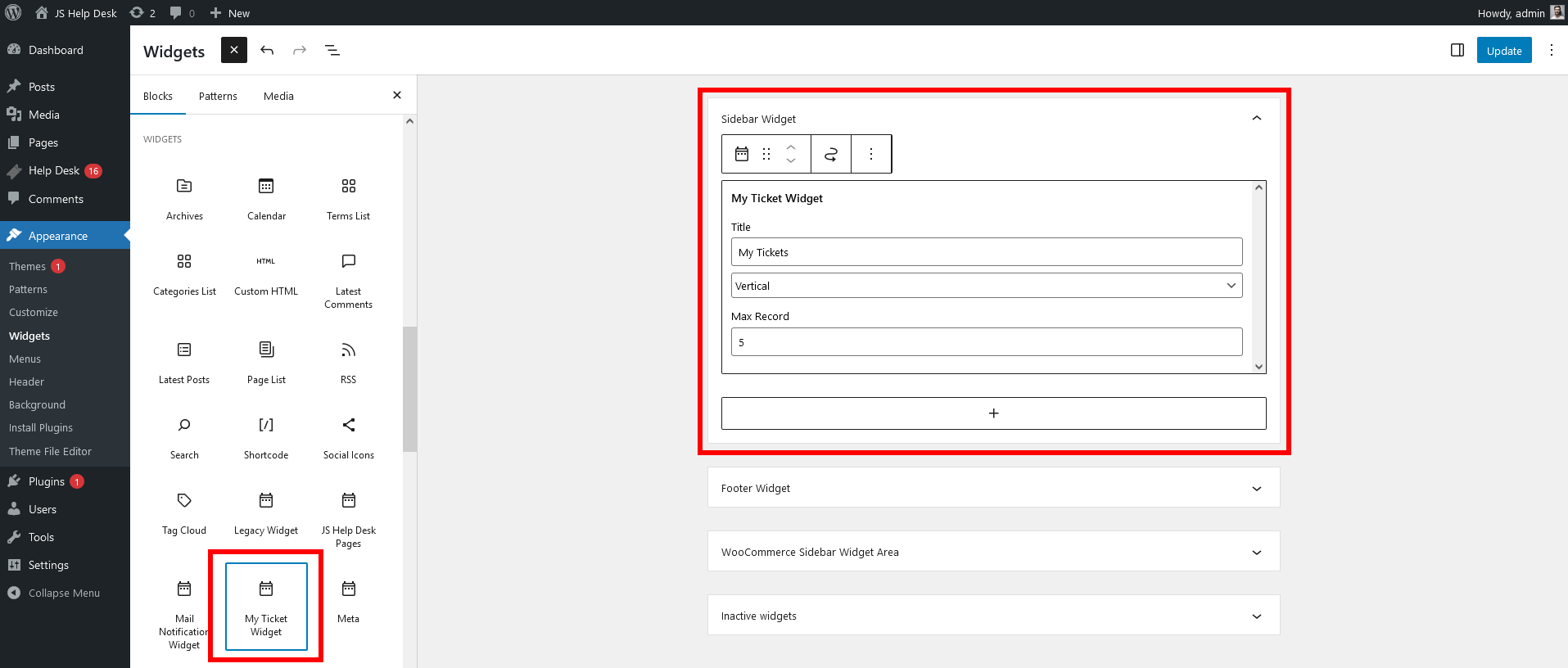
Drag it into your desired widget area (e.g., Sidebar, Footer, WooCommerce Sidebar, etc.).
When configuring the widget, you’ll see several options:
-
Title: You can customize the widget title (e.g., “My Tickets,” “Support Tickets,” etc.).
-
Layout (Vertical/Horizontal): Choose how the tickets will be displayed. Vertical is common for sidebars, while Horizontal may be better for footers.
-
Max Record: Define how many tickets should be shown in the widget. For example, setting this to 5 will display the user’s 5 most recent tickets.
Frontend Side
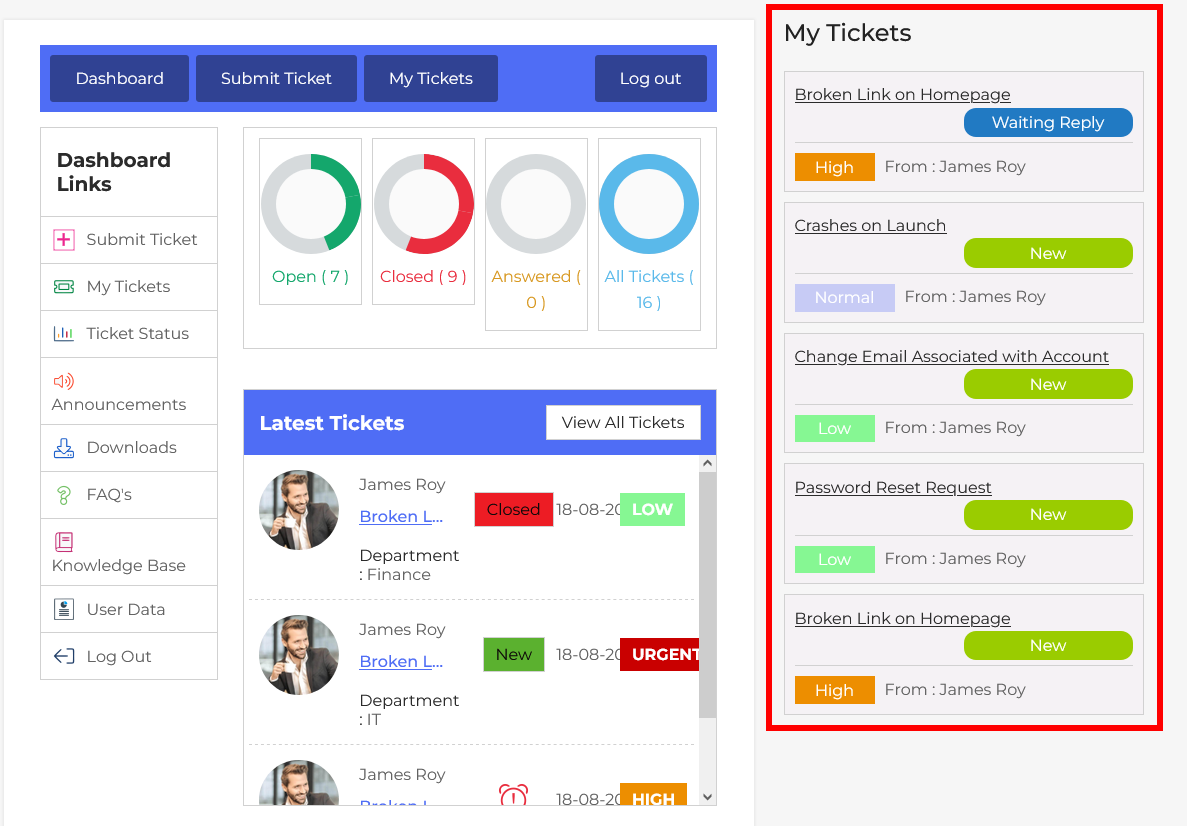
For end-users, widgets typically provide easy ways to create new tickets, view existing tickets, or search the knowledge base without leaving the page they’re currently on. For example, you might add a “Submit a Ticket” widget to your website’s sidebar so visitors can quickly reach out to support while browsing your site. Similarly, a “My Tickets” widget can give logged-in users a direct link to their support history.